Realistic Swept Path Simulation with Rate-Limited Steering

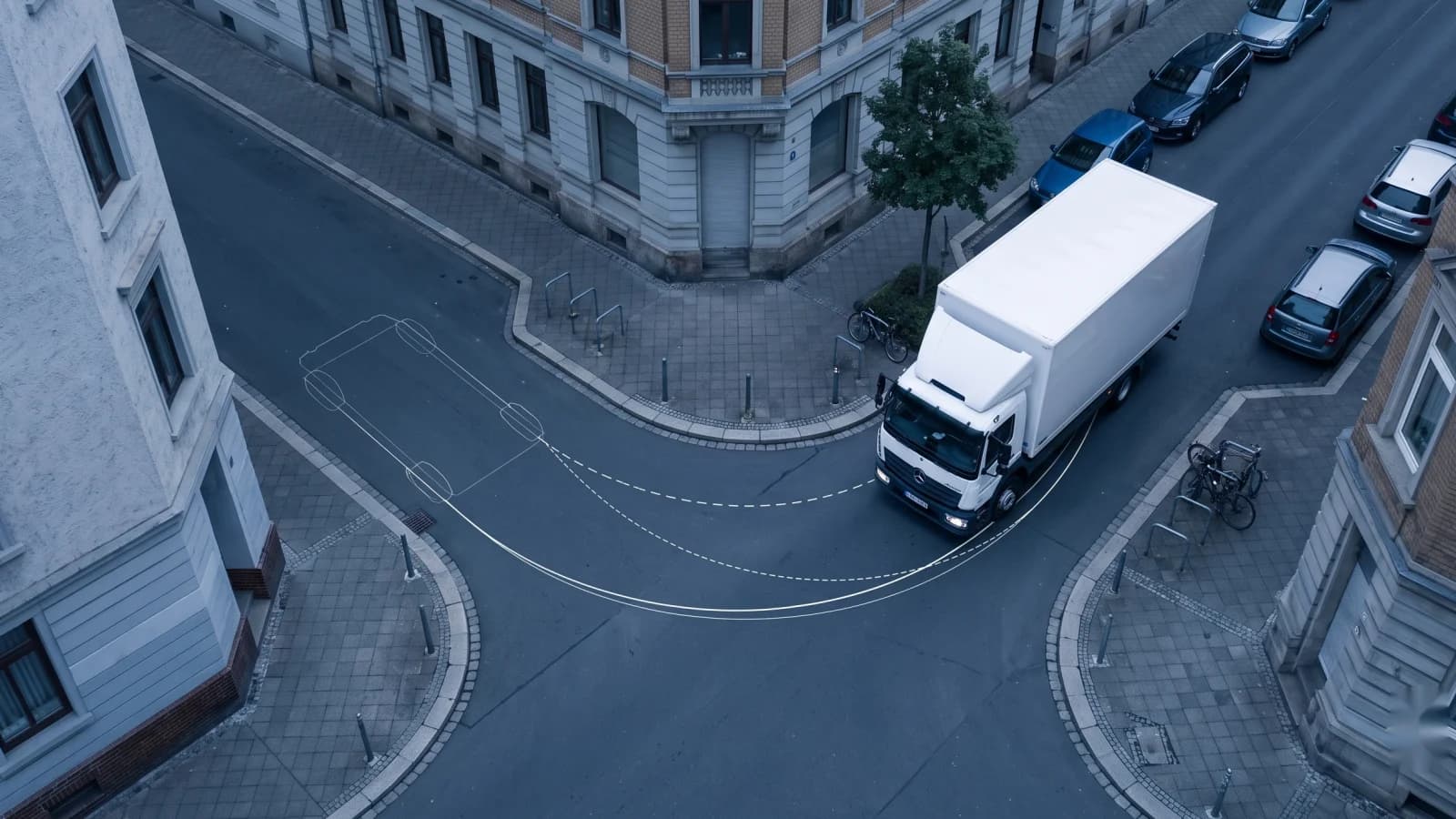
Most swept path calculators make a simplifying assumption at the beginning of a turn: the vehicle reaches full steering lock instantly. That shortcut makes calculations fast, but it also means the first part of the curve can be tighter than what a real vehicle can actually drive.
PathSweeper now adds rate-limited steering for a more realistic swept path simulation. The new Realistic mode is available directly in the browser, allowing planners, engineers, and architects to test how vehicles enter and leave turns with a steering behavior closer to real driving.
What just shipped
Until now, PathSweeper calculated swept paths using an instant arc method. The vehicle was treated as if the front wheels were already at full lock the moment the curve started. This works well for quick checks, but it can underestimate the space needed during the transition into a turn.
The new rate-limited steering mode changes this behavior. Instead of jumping immediately to a fixed-radius curve, the vehicle follows a smooth clothoid transition. The steering angle increases gradually as the vehicle moves, creating a wider and more realistic swept envelope.
The underlying model is a kinematic bicycle model where the steering angle changes by a bounded amount per metre travelled before converging onto a constant-curvature arc. The steering rate can be adjusted through the driving speed setting. At higher speeds, the wheels take longer to reach the required angle, which increases the transition distance and widens the swept path. The speed is limited to 30 km/h because above this range lateral forces would make a purely kinematic model unrealistic.
Anyone can switch Realistic mode on and test the live preview in the browser for free. Saving paths created with realistic steering is part of the Projekt Pass, which costs a one-time 29 EUR per project. There is no subscription and no recurring fee.
Instant arc vs rate-limited steering: why it matters for planning
A swept path that works on a drawing can still be difficult or impossible for a driver to follow on site. The difference often appears in the first metres of a turn, where an instant arc assumes the vehicle has already completed the steering input.
This margin matters in places where geometry is tight: access roads, turning areas, loading yards, and other constrained layouts. A realistic swept path analysis should represent not only where a vehicle ends up, but also how it gets there.
The goal of rate-limited steering is not to make every calculation larger. It is to remove an optimistic assumption and provide a better representation of the maneuver a vehicle actually performs.
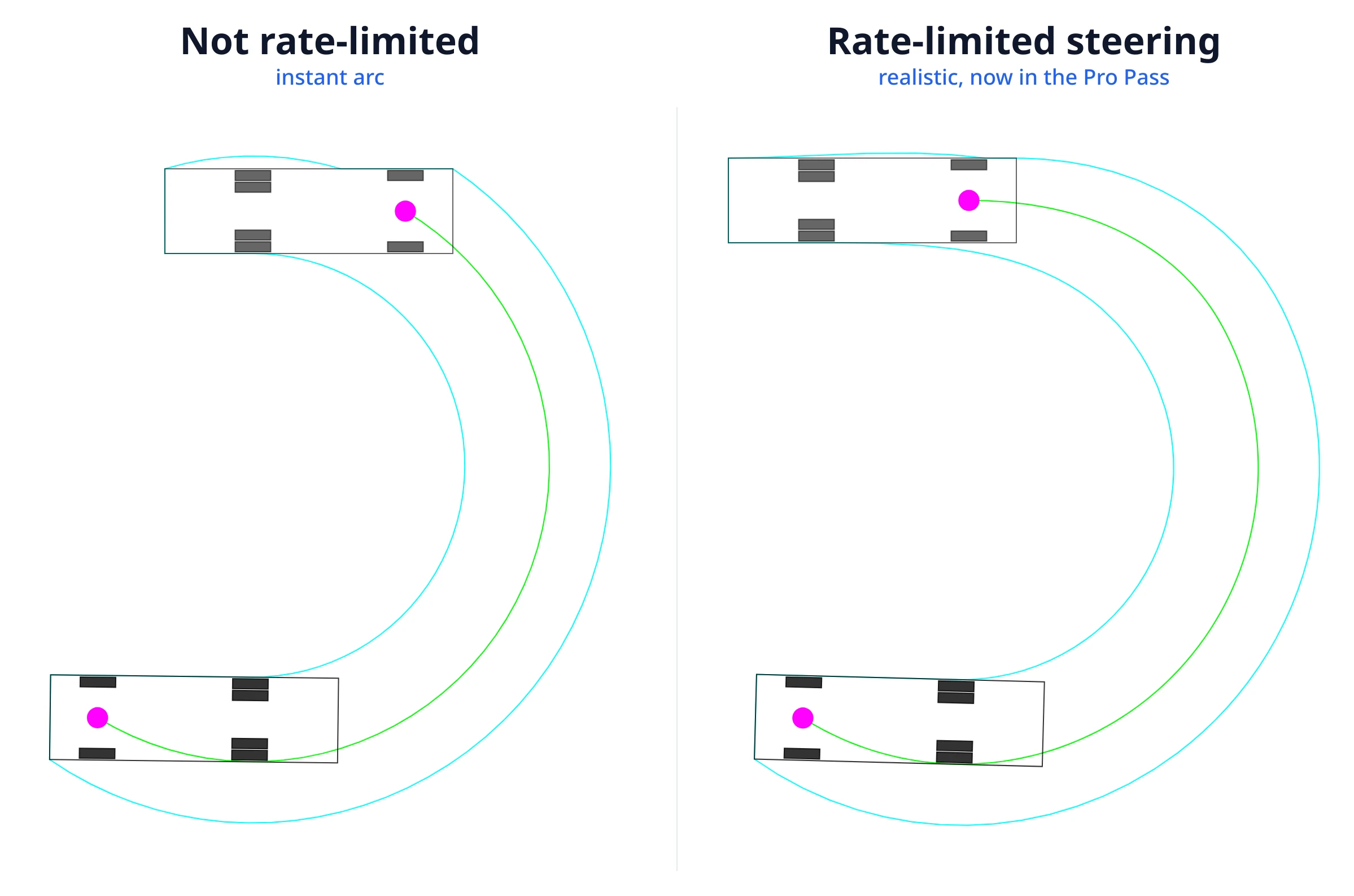
Real tool output from PathSweeper showing the same truck making the same turn, with instant arc on the left and rate-limited steering on the right.
Where this puts PathSweeper in the 2026 landscape
Browser-based swept path tools are becoming a practical option for many early-stage design checks. PathSweeper focuses on making realistic vehicle checks accessible without requiring a desktop installation.
| Tool | Platform | Pricing model | Position |
|---|---|---|---|
| AutoTURN Online (Transoft) | Browser | Subscription | Industry benchmark with a large vehicle library |
| RapidPath Online (Invarion) | Browser | Subscription | Cloud collaboration focused workflow |
| PathSweeper | Browser | Free to start, one-time €39 Projekt Pass | Real Ackermann + full articulation, national libraries + custom creator, DXF and DWG export, cross-checked against AutoTURN Online reference exports |
PathSweeper covers the swept-path job end to end: true Ackermann steering, full tractor-trailer articulation cross-checked against AutoTURN Online reference exports (see the method and results), the national design-vehicle libraries (Germany RBSV 2020, UK DB32 and FTA, US AASHTO classes, Australia Austroads, France CERTU, Spain Norma 3.1-IC, Japan 道路構造令, South Korea MOLIT, Taiwan 市區道路設計規範, Hong Kong TPDM) and a custom vehicle creator for anything a fixed library omits, all exportable as dimensioned DXF or DWG. The established desktop and cloud packages ship larger prebuilt fleets and longer-established workflows; PathSweeper trades the huge preset catalogue for a build-any-vehicle creator and runs in the browser with no per-seat subscription. For a detailed comparison, see the AutoTURN alternative page.
A full swept-path tool
The current PathSweeper workflow covers the core needs for many vehicle movement checks:
- Browser-based swept path simulation with real-time envelope updates
- PDF, JPG, and PNG site-plan upload
- Scale calibration using known dimensions
- Four standard vehicles in the free tier: car, van, two-axle truck, and city bus
- PNG and JPEG export
- Distance and angle measurement
- Realistic rate-limited steering mode for more accurate turn transitions
The Projekt Pass adds further capabilities:
- Official RBSV 2020 design vehicles from the FGSV, including the refuse truck
- Custom vehicle editor for user-defined dimensions
- DXF and DWG export for workflows in AutoCAD, Civil 3D, Revit, Archicad, or Vectorworks
Articulated vehicles are now fully supported as well: the semi-trailer, truck and drawbar trailer, centre-axle trailer and articulated bus are simulated with complete articulated kinematics, including articulation-angle monitoring. All the details are in the post on articulated vehicle swept paths.
How to run a rate-limited swept path in three steps
-
Upload your site plan in the free tool and calibrate the drawing scale using a known dimension.
-
Select a vehicle, switch to Realistic mode, and drive the maneuver with the mouse. Adjust the speed setting to see how steering behavior changes the transition into the curve.
-
Review the swept envelope and export the result as an image for documentation or design discussions. A more detailed explanation of the workflow is available in this swept path analysis guide.
Bottom line
Rate-limited steering removes one of the biggest simplifications in traditional swept path calculations: the assumption that a vehicle can instantly reach full steering lock.
PathSweeper now lets users test realistic steering behavior directly in the browser, with saving available through a simple one-time Projekt Pass instead of a subscription model.